
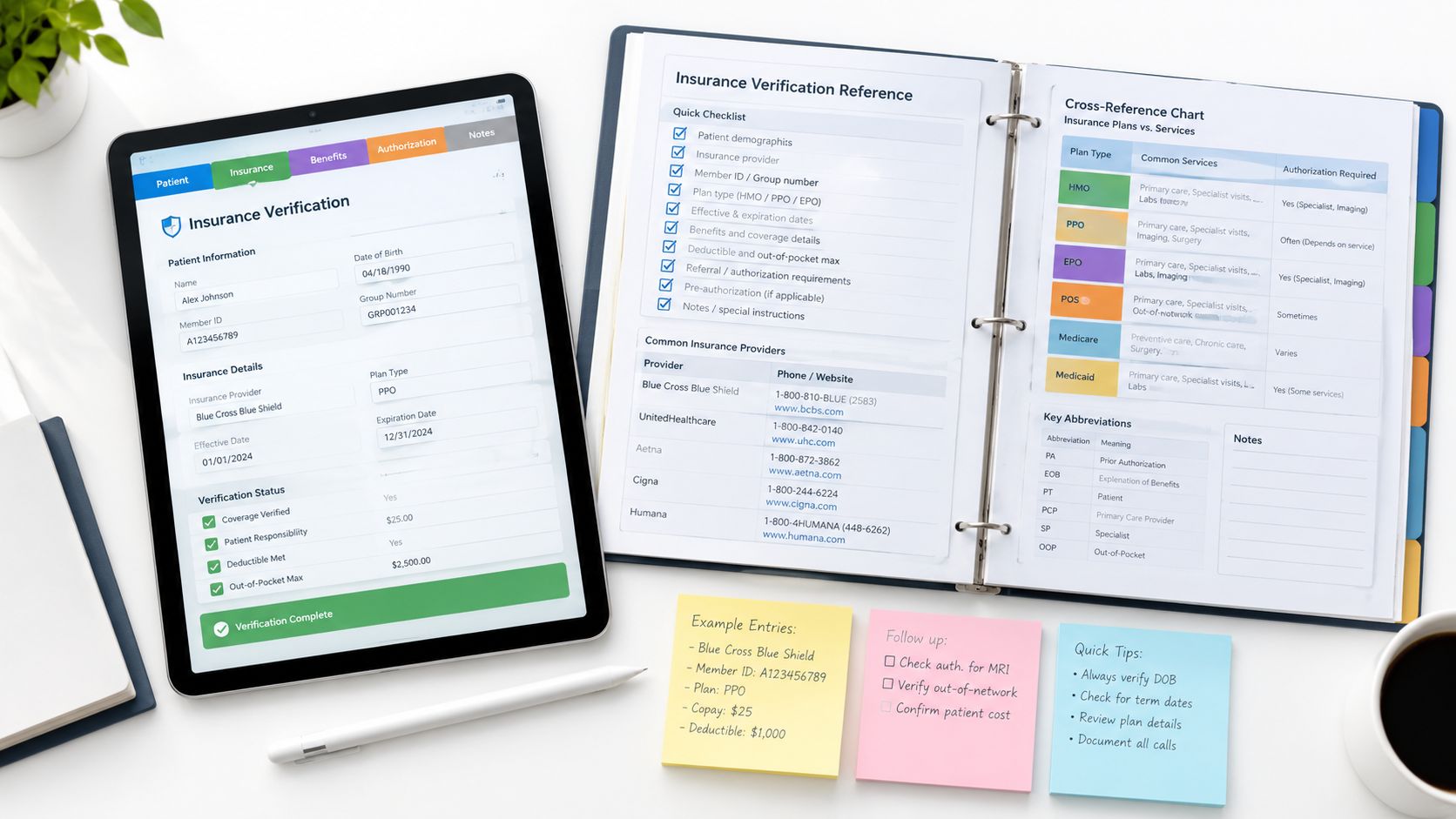
You can tell when an insurance verification form is weak because the problems don't stay at the front desk. A missing member ID, an unconfirmed plan type, or a skipped authorization check turns into a denial later, then billing staff spend time chasing payer portals, calling patients, and correcting claims that should never have gone out incomplete. In a busy practice, that isn't a paperwork problem, it's a revenue cycle problem.
The better way to think about the insurance verification form is as a live operational checkpoint. It should collect the minimum data needed to confirm eligibility, benefits, and authorization status, then feed that information into your EMR, clearinghouse, and front-desk workflow before the visit. For practices that use remote staffing, it also becomes a clean handoff tool for virtual insurance verification specialists who can work inside your systems during clinic hours.
That matters because verification isn't just about whether a patient is “active.” It's about whether the planned service is covered, whether the patient owes a copay or deductible, and whether the visit can move forward without creating avoidable rework. The practices that handle this well don't treat verification as a one-time check. They treat it as a process that starts when the appointment is booked and gets checked again before the patient walks in.
The Operational Reality of Insurance Verification
A front-desk coordinator finishes intake, sees that the patient's insurance card looks familiar, and moves the schedule along. The claim comes back later because the plan had changed, the subscriber ID was keyed wrong, or prior authorization was required and nobody caught it. That's the daily cost of treating verification as a quick administrative task instead of a control point.
Industry reporting cited in 2026 says eligibility and authorization errors account for 23% of initial claim denials, while manual verification can take 15 to 20 minutes per patient compared with 2 to 4 minutes for automated workflows, with a practice handling 80 appointments per week spending about 22 hours weekly on verification in a manual model versus about 4 hours with automation (automating insurance verification in medical practices). That's why the form matters operationally, not just administratively. It gives staff a consistent place to capture the details that determine whether coverage can be confirmed before care is delivered.
Practical rule: if a field won't help you answer an eligibility, benefit, or authorization question, don't let it crowd the form.
For teams that want to see this as a workflow rather than a static intake document, an AI-powered insurance dashboard can help organize exceptions, but the underlying discipline still starts with the form itself. Clean inputs, clear ownership, and a documented review step matter more than any interface.
What the form is really doing
The best version of the form doesn't just gather insurance details. It creates a shared record that front desk, billing, and remote staff can use without guessing. When that record is incomplete, someone has to reconstruct it later from memory, scanned cards, or payer portals.
That's where practices lose time. The form should be designed so every field has a downstream purpose, whether that purpose is an eligibility inquiry, a financial counseling call, or a billing review.
Why Registration Quality Drives Claim Outcomes
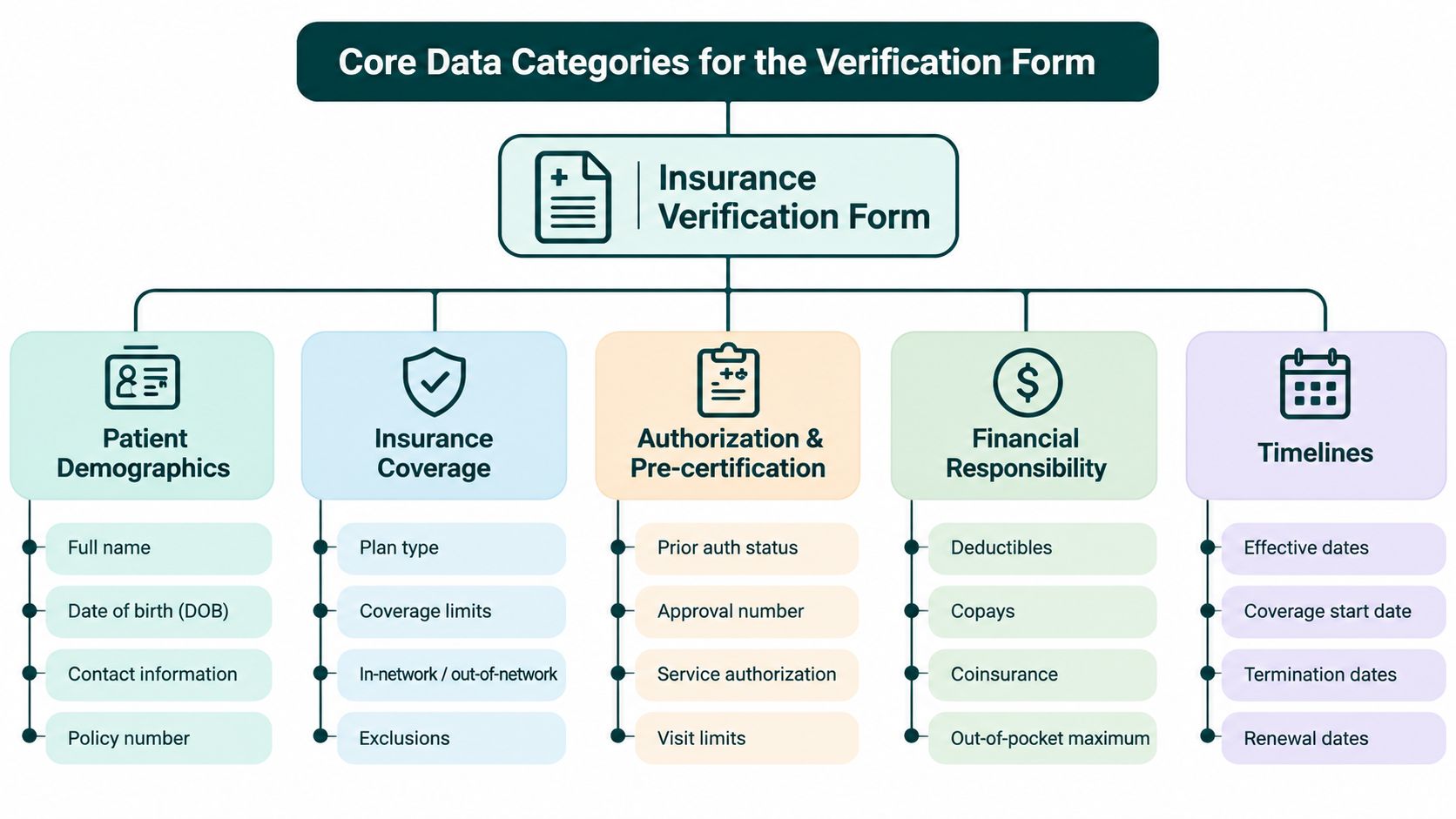
A claim usually starts with the registration desk, so any weak field on the insurance verification form can turn into rework later. In Experian Health reporting, 48% of providers said data collected at registration or check-in was somewhat or not accurate, 56% said patient information errors are a primary cause of denied claims, and 22% of patients reported care delays due to insurance verification (Experian Health reporting). Those numbers show the cost of treating registration as a clerical step instead of a revenue control point.
From paper intake to structured data capture
Paper intake was built for collecting information, not for supporting eligibility decisions. Staff wrote down a policy number, scanned a card, and moved on. That approach breaks down once deductibles, referrals, plan rules, and service-specific authorization requirements have to be checked before the visit.
Nearly 60% of providers still use at least two different tools to gather the information needed for claim submission, and 43% said incomplete checks add at least 10 minutes of staff time per eligibility check (Experian Health reporting). That is why the form cannot live as a static PDF. It has to feed the eligibility inquiry, the billing review, and the handoff to remote staff who may be cleaning up exceptions later.
A clean intake process reduces uncertainty before the appointment. A messy one pushes that uncertainty into the claim.
A bad intake form creates work twice, once at registration and again when the claim is reworked.
For practices evaluating broader workflow change, healthcare revenue cycle automation only performs as well as the data it receives at the front desk. Automation can move information faster, but it cannot correct a poorly designed intake process.
What registration quality changes in practice
Clean registration gives billing teams fewer gaps to interpret and gives providers a clearer view of what the patient may owe before care starts. Incomplete registration does the opposite. It turns the claim into a scavenger hunt, with staff pulling details from charts, scanned cards, and payer portals just to rebuild what should have been captured once.
Core Data Categories for the Verification Form
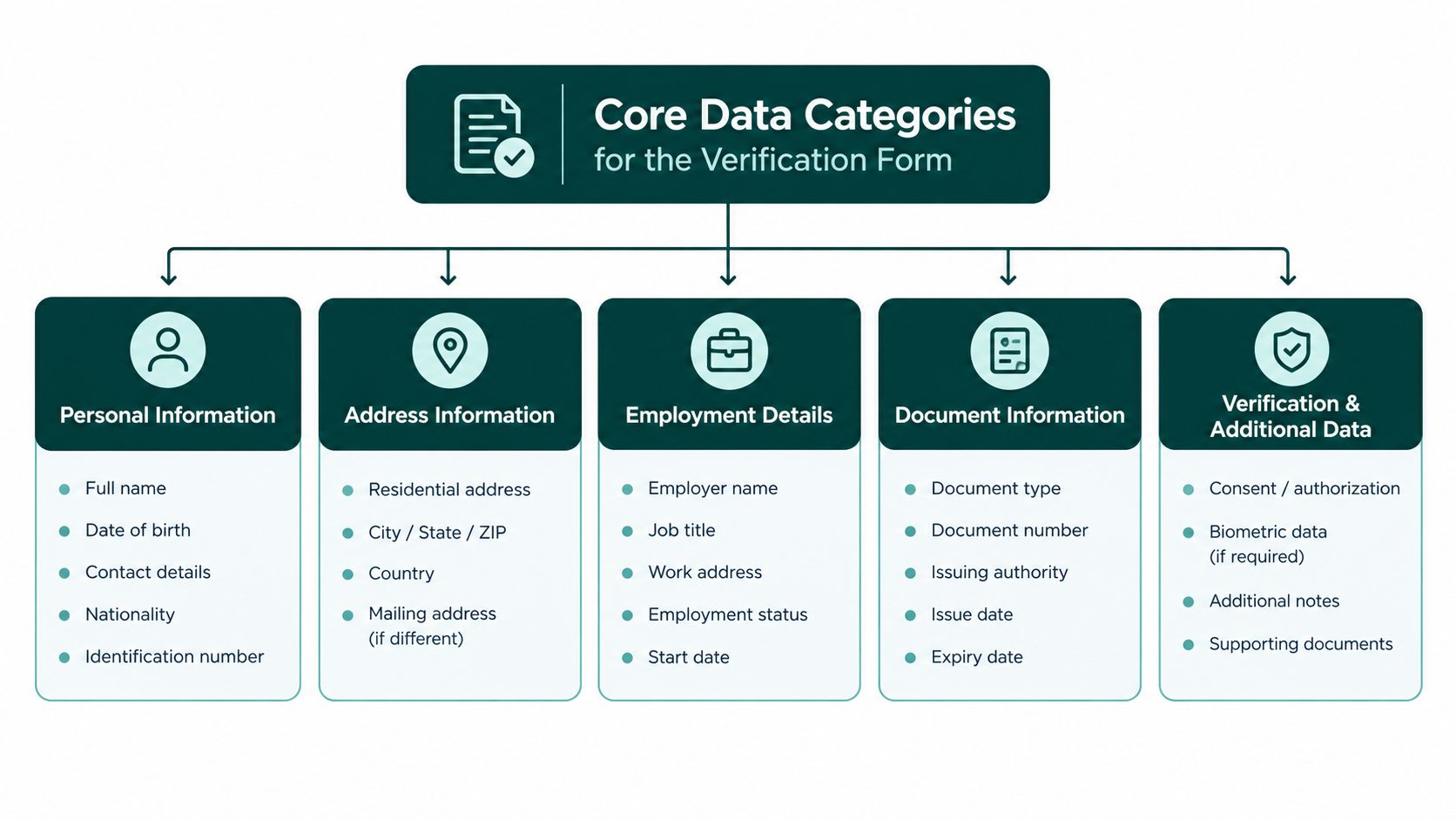
The technical backbone of a U.S. insurance verification form is the HIPAA-standard ASC X12 270/271 eligibility transaction set. The 270 is the inquiry the provider sends, and the 271 is the payer response that confirms active coverage and related benefit details (complete guide to eligibility verification). If your form doesn't capture the fields that support that exchange cleanly, staff end up typing the same information into multiple systems and fixing avoidable errors later.
Identity and subscriber data
Start with the basics that let the payer identify the correct member.
- Patient name and date of birth: these should match the insurance record exactly.
- Subscriber or member ID: this is the core routing field for the eligibility inquiry.
- Dependent versus subscriber relationship: important when the patient isn't the primary member.
- Patient demographics: enough to confirm the member when the ID alone doesn't resolve the record.
Plan and provider data
The form also needs the data that tells the payer which coverage and which provider are involved.
- Plan or payer name
- Policy and group numbers
- Provider NPI
- Date of service
- Service-type code when requesting benefits for a specific category such as mental health or chiropractic care
Service-specific fields
A useful layout separates the form into identity data, subscriber or plan data, and service-specific questions. That structure helps remote staff and front-desk teams map the collected information directly into the eligibility inquiry workflow and reduce mis-keyed entries.
The 271 response can show more than whether coverage is active. It can also support patient financial counseling before the visit by revealing benefit design, network status, and whether the planned service needs authorization. That's why the form should be built for decision-making, not just storage.
Working standard: if a field can't be tied to a 270/271 response, it probably belongs somewhere else in the chart, not on the verification form.
For a practical example, a therapy clinic may need service-type details that a primary care practice doesn't use every day. A multi-specialty group, by contrast, should standardize the core fields but leave room for specialty-specific prompts so staff aren't guessing at the point of entry.
Detailed Benefit and Authorization Entries
A patient arrives with an active plan, yet the claim later denies because the scheduled service needed authorization. The intake record showed eligibility, not complete coverage. A denial-prevention workflow must separate eligibility, benefit coverage, and prior authorization. An eligible patient is not automatically covered for every service, and missing authorization can still invalidate a claim (insurance verification training reference).
The fields that determine patient responsibility
The form should capture the details that affect reimbursement and the amount discussed with the patient before check-in. Record active or inactive coverage, effective and termination dates, plan type, in-network status, copay, deductible, coinsurance, out-of-pocket maximum, coordination of benefits, and authorization requirements (eligibility and benefits guide).
| Form Field Category | Specific Data Points | Denial Risk if Missed |
|---|---|---|
| Coverage status | Active or inactive, effective date, termination date | Claim may be filed to a plan that is no longer valid |
| Plan structure | Plan type, network status, coordination of benefits | Wrong payer or wrong benefit assumptions |
| Patient responsibility | Copay, deductible, coinsurance, out-of-pocket maximum | Patient balance is misquoted, collections get harder |
| Service rules | Referral needs, visit limits, exclusions, authorization requirements | Service may be denied even when the patient is eligible |
Why 48-hour advance verification prevents denials
The verification checkpoint should occur before the appointment, commonly 48 hours in advance. That timing gives staff room to correct a stale insurance card, identify missing authorization, and explain expected out-of-pocket responsibility before the patient arrives.
The form should support an automated 270 inquiry and a structured 271 response, not sit as a separate front-desk document. A remote virtual assistant can submit the inquiry, review benefit and authorization responses, and enter confirmed values into the EMR. Staff can then work from exception flags instead of rekeying every patient record.
Specialty services require closer review. Imaging, behavioral health, chiropractic care, and outpatient procedures may have referral, visit-limit, exclusion, or authorization rules that routine office visits do not. If the form combines “coverage verified” with “service authorized,” staff can close the task after confirming eligibility alone. Keep those statuses separate, with the payer response and verification date recorded in the EMR.
Cross Referencing Verification Across the Patient Journey
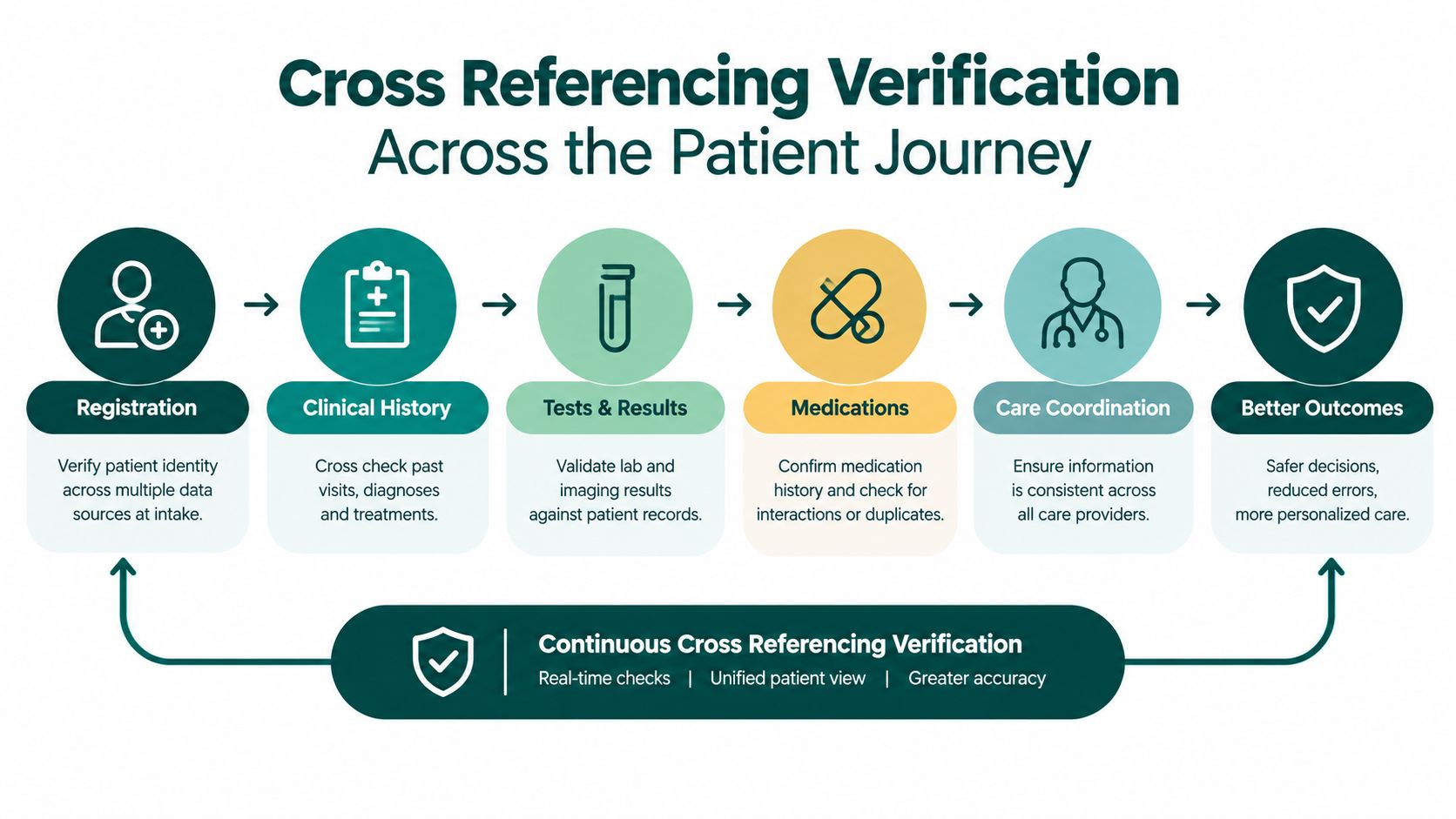
The most reliable verification workflow is not a single check at intake. It's a sequence. Tebra's workflow guidance recommends checking eligibility as soon as the appointment is scheduled, re-checking coverage one to three days before the visit, confirming again at check-in, and escalating to the payer if there are discrepancies or if the service needs prior authorization (patient insurance eligibility verification workflow). That sequence keeps stale data from slipping through.
A practical verification timeline
- At scheduling. Capture the insurance details and run the first eligibility check.
- One to three days before the visit. Re-check the plan, benefits, and authorization status.
- At check-in. Confirm the patient still has the same coverage and that nothing changed since the pre-visit review.
- When there's a mismatch. Escalate directly to the payer or request updated documentation.
This timeline is more than housekeeping. It catches contract-year deductible resets, benefit changes, and payer rule changes before the provider sees the patient. It also gives staff a chance to contact the patient with a clear explanation instead of handing them a surprise balance later.
Where credentialing and verification overlap
For practices that manage specialty care or new payer enrollments, medical credentialing services sit close to this process. Credentialing confirms the provider relationship with the payer, while verification confirms the patient's coverage and plan rules on a given date. Those are separate jobs, but if one is weak, the other gets blamed.
The operational lesson is straightforward. Verification should be rechecked at every point where the coverage picture can change. That's especially true for practices that book out weeks in advance or see patients with evolving benefit designs.
Automating the Form and EMR Integration
Manual retyping is where good verification workflows go to die. A staff member fills out the form on paper, then keys the same information into the EMR, then again into a clearinghouse or payer portal. The risk of mismatch climbs each time the data is copied, especially when the front desk is busy.
What automation should do
Your EMR should trigger an eligibility check when a new appointment is created or when patient demographics change. The best setup uses real-time payer transactions and APIs such as 270/271 to validate active coverage, effective dates, deductible and copay amounts, coordination of benefits, and network status before care is delivered (eligibility checking products). If the system returns an exception, it should flag the record for human review instead of forcing staff to hunt for the problem later.
A simple integration checklist
- Map the form fields to EMR fields so the intake data lands in the right place the first time.
- Trigger eligibility automatically on scheduling and again near the date of service.
- Create exception flags for missing subscriber data, inactive coverage, or authorization requirements.
- Keep a fallback path to payer portals or phone calls when real-time responses aren't available.
- Document the outcome so billing sees what was verified and when.
The value here isn't only speed. It's consistency. A well-configured workflow reduces the number of manual touches and makes it much easier to see where a verification break happened. For that reason, teams that manage multiple systems often benefit from a connectors and data governance guide before they add more automation layers.
When you're building this out, the all skills overview can help you think through what tasks belong in the EMR, what belongs in payer portals, and what can be handed to remote staff without creating confusion.
Delegating Verification to Remote Healthcare Staff
Most practices don't need more people standing at the front desk. They need someone who can work the verification queue without pulling the receptionist away from phones, walk-ins, and check-in traffic. That's where trained remote healthcare staff can make a real difference, especially when they're operating in your EMR and payer portals during clinic hours.
Where remote staff fit best
Insurance verification is a good candidate for delegation because it follows a repeatable process. A virtual insurance verification specialist can check eligibility, review benefits, flag authorization needs, and follow up on discrepancies without interfering with the in-office patient experience. For many practices, the practical gain is less front-desk bottleneck and fewer rushed checks done at the last minute.
Medical Virtual Assistants offers an insurance verification service that places a dedicated specialist inside the practice's PMS and payer portals on a flat monthly basis. Used correctly, that setup supports the same core workflow a strong internal team would run, with the advantage of US-hours coverage and a staffing model built around the practice's schedule.
What to look for in a remote verifier
- Claims and payer familiarity so the person understands benefit language
- EMR navigation comfort so data lands in the right place
- Clear documentation habits so every check is traceable
- Patient communication skill when coverage gaps need explanation
- Escalation discipline when authorization or benefit details are unclear
The trade-off is simple. Remote staffing works well when the practice has a clear process and strong oversight. It works poorly when managers expect the assistant to invent workflow on the fly. Verification is not a judgment-heavy job, but it does require precision and documentation.
If you already have a busy front office, moving verification off the desk can also improve the tone at check-in. The staff member greeting the patient isn't trying to run eligibility in real time while answering the phone.
Quick Reference Checklist for Verification Exceptions
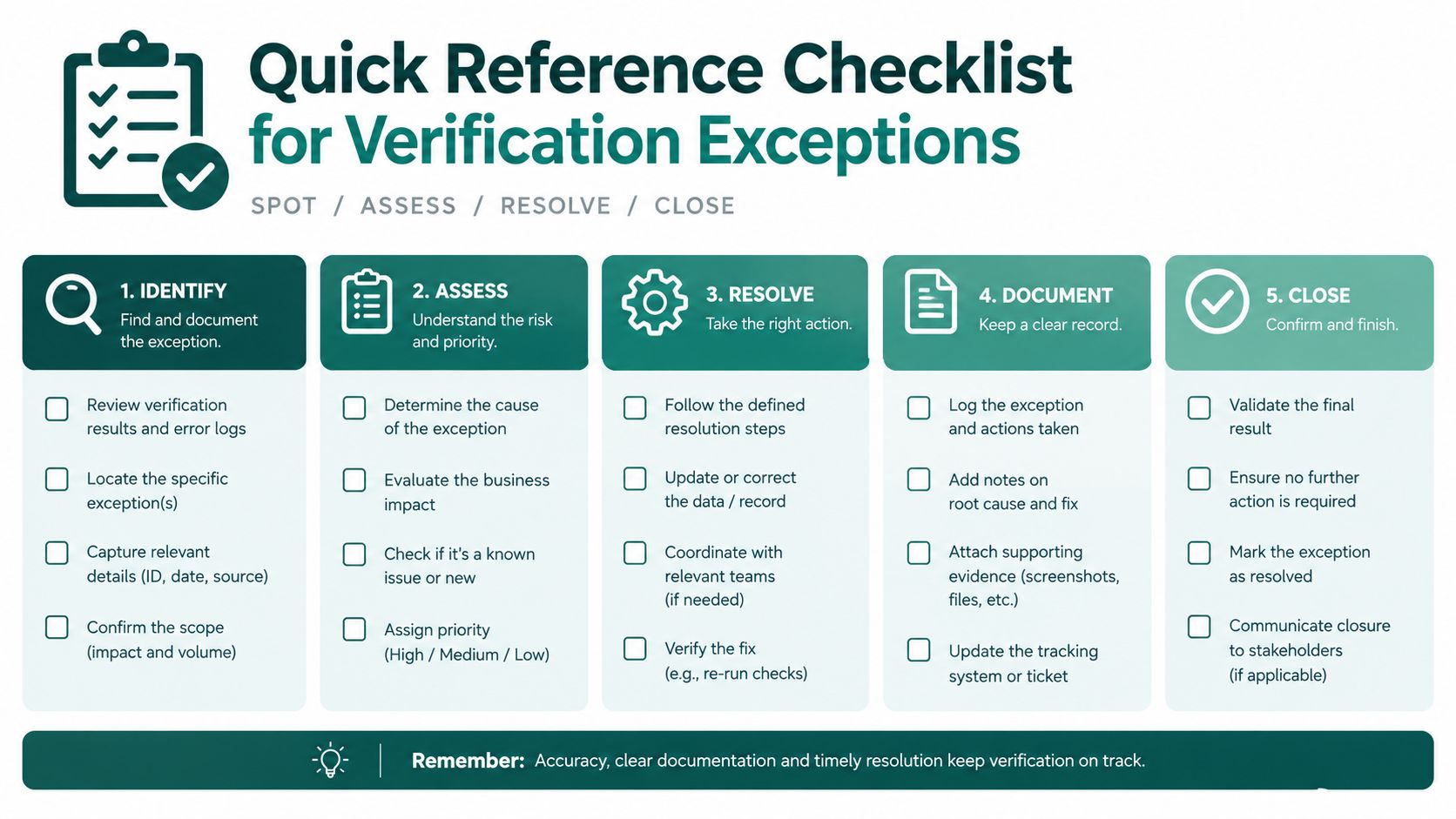
An incomplete electronic response should trigger a defined exception workflow, not a last-minute judgment call. The form should capture each step so front-desk staff, a remote verifier, and the billing team work from the same record.
Verification exception checklist
- Confirm the identity fields again. Compare the patient's name, date of birth, and member ID with the insurance card and EMR record.
- Check whether the issue is eligibility, benefits, or authorization. Active coverage does not confirm payment for the planned service, and missing authorization can still produce a denial.
- Move to the payer portal or phone line. Use the fallback when the electronic 271 response does not return sufficient benefit detail. Record the source and time of the follow-up.
- Verify coordination of benefits. Incorrect primary or secondary coverage can delay reimbursement and assign responsibility to the wrong party.
- Document the patient conversation. If coverage remains uncertain, record what was explained, what needs confirmation, and who owns the next action.
The distinction between eligibility, benefits, and prior authorization belongs in both the form and the exception queue. Staff training should reinforce these separate checks, as shown in this insurance verification training reference.
Operational habit: If the record is incomplete, do not let the patient assume the visit is fully covered. Clear documentation protects the patient, the practice, and the claim.
Recurring visits deserve the same discipline. “Same insurance as last time” is not a verification result. Make exception review part of the daily workflow, with unresolved items visible in the EMR until someone confirms the answer.
The Takeaway
The insurance verification form is not a front-desk convenience. It's a denial-prevention workflow that ties patient intake, eligibility inquiry, benefit review, and authorization checks into one operating system for the practice. When the form is built around the right data, updated before the visit, and connected to the EMR, it helps staff catch problems before they become claim rework.
The practices that get this right don't rely on memory or tribal knowledge. They use a repeatable timeline, clear exception handling, and the right mix of in-office and remote support to keep coverage checks consistent. That's what turns verification from a rushed intake task into a reliable part of the revenue cycle.
If you're still asking front-desk staff to do this between phones, walk-ins, and check-in lines, the process is working against you. Rebuild the form around the workflow, not the other way around.
Medical Virtual Assistants places pre-vetted remote healthcare staff who can handle insurance verification, prior authorization support, and related front-office work inside your systems during clinic hours. If you want to compare that model with your current workflow, visit Medical Virtual Assistants and review how their team fits verification-heavy practices.