

On a typical Tuesday in a four-physician primary care group, the day doesn't end at 5 p.m. The front desk is still returning calls, billing is waiting on signed encounters, and one clinician is staring at a screen at 8 p.m. trying to finish charts that should've closed hours ago. That's the problem virtual scribe services are built to solve, they separate the cognitive work of the visit from the clerical work of documentation so the clinician can move on after clinic instead of carrying the chart home.
In plain terms, a virtual scribe listens to, or reviews, the encounter, turns the conversation into an EMR-ready note, stages the useful parts of the visit, and routes the draft for clinician review and sign-off. In practice, that can mean fewer late-night charting sessions, cleaner same-day closure, and less friction between the exam room and the billing team. It does not mean the scribe takes over coding decisions, prior authorizations, or inbox triage, those are different jobs and they should stay separate unless you've explicitly scoped the role that way.
The right answer for most practices isn't “scribe or no scribe.” It's choosing the model that fits your visit type, your EMR, your oversight capacity, and your tolerance for rework. If you're also comparing broader remote staffing options, top platforms for virtual assistants can help you think about the market in a wider way, while a role-specific comparison like medical assistant vs medical scribe helps clarify where documentation support ends and clinical-adjacent admin begins.
What Virtual Scribe Services Actually Do for a Practice
On a practical level, a virtual scribe is there to keep the provider focused on the patient while someone else handles the note structure. In many clinics, that means the scribe is capturing the history, organizing the assessment, staging the plan, and keeping the EMR populated so the clinician isn't starting from a blank screen after each visit. That workflow matters because the most expensive part of documentation isn't the typing, it's the interruption, the mental switching, and the backlog that builds when charts don't close on time.
A good scribe doesn't just transcribe. They understand the note format your practice uses, know which fields matter for your specialty, and leave enough room for the clinician to edit the parts that require judgment. That's why practices should think of scribing as a workflow design choice, not a staffing shortcut. If the note lands in the chart but creates more clean-up later, the practice hasn't reduced burden, it's moved it.
What usually sits inside the scribe role
A well-scoped virtual scribe often handles the note draft, pulls forward relevant chart history, and stages the encounter in the EMR for review. In some settings, the scribe also queues follow-up items for sign-off, such as orders, referrals, or patient instructions, depending on the practice's policy and EMR permissions. The key is that the clinician stays responsible for the final content and any action that requires licensed judgment.
Practical rule: if a task affects diagnosis, treatment choice, or billing authority, keep it under clinician control unless your compliance team has explicitly approved a narrower support role.
That distinction matters because the biggest mistakes I see come from blurred expectations. A practice hires for “documentation support,” then expects the scribe to cover inbox messages, prior auth, coding, and scheduling cleanup too. The result is slow response times, inconsistent notes, and a frustrated team that never agreed on what “scribe” meant in the first place.
If you're comparing models beyond a pure scribe function, remember that some remote staff can cover adjacent work like patient coordination or reception, but that's a separate operating model. A virtual scribe should reduce charting load first, not become an all-purpose catchall for every admin gap in the clinic.
Real-Time, Asynchronous, and Ambient AI Models Compared
The workflow question matters more than the technology label. A human scribe joining the visit in real time, a human scribe working after the encounter, and an ambient AI tool all promise documentation relief, but they shift the work in different directions. One keeps the chart moving during the visit, one protects the clinician's flow but delays the note, and one cuts drafting time but often increases the clinician's review burden.
The choice gets sharper once you look at latency to closure. If your specialty needs the note ready before the next room turnover, real-time support often fits better. If your clinic can tolerate a later return of the note and wants to preserve the visit flow, asynchronous support can work. If your team is comfortable editing AI drafts and governing note quality closely, ambient AI may be a sensible option, but only if you're honest about oversight.
Where each model fits best
| Model | Where It Fits Best | Latency to Note Closure | Common Failure Mode |
|---|---|---|---|
| Real-time human scribe | Procedural and high-acuity visits, clinics that need immediate note readiness | During or immediately after the visit | Distraction if the clinician multitasks or the audio feed is poor |
| Asynchronous human scribe | Primary care, routine outpatient visits, practices that can accept delayed closure | Later the same day or by an agreed SLA | Missed nuance when the visit depends on context that isn't obvious from the recording |
| Ambient AI scribe | High-volume documentation-heavy settings with strong clinician review habits | Fast draft, then clinician sign-off | Incorrect details, overconfident phrasing, or note bloat that needs editing |
That table makes the trade-off clearer than any vendor brochure. Real-time human scribes are often stronger when the physician wants the chart ready before moving on, but they depend on stable audio and a disciplined visit flow. Asynchronous scribes protect the pace of the appointment, but they move the burden to the end of the day. Ambient AI can be fast, but its value rises or falls on how well the practice reviews what it creates.
The real question isn't whether scribing helps. It's which workflow gets the note closed with the least rework.
For practices that care about same-day closure, the practical test is simple, not theoretical. Pick the model that your clinicians can sustain on a busy day without creating a second job for themselves at night. The cheapest option on paper can become the most expensive one if it adds clean-up time, coding uncertainty, or a steady stream of edits.
Connecting Scribes to Your EMR Without Breaking the Workflow
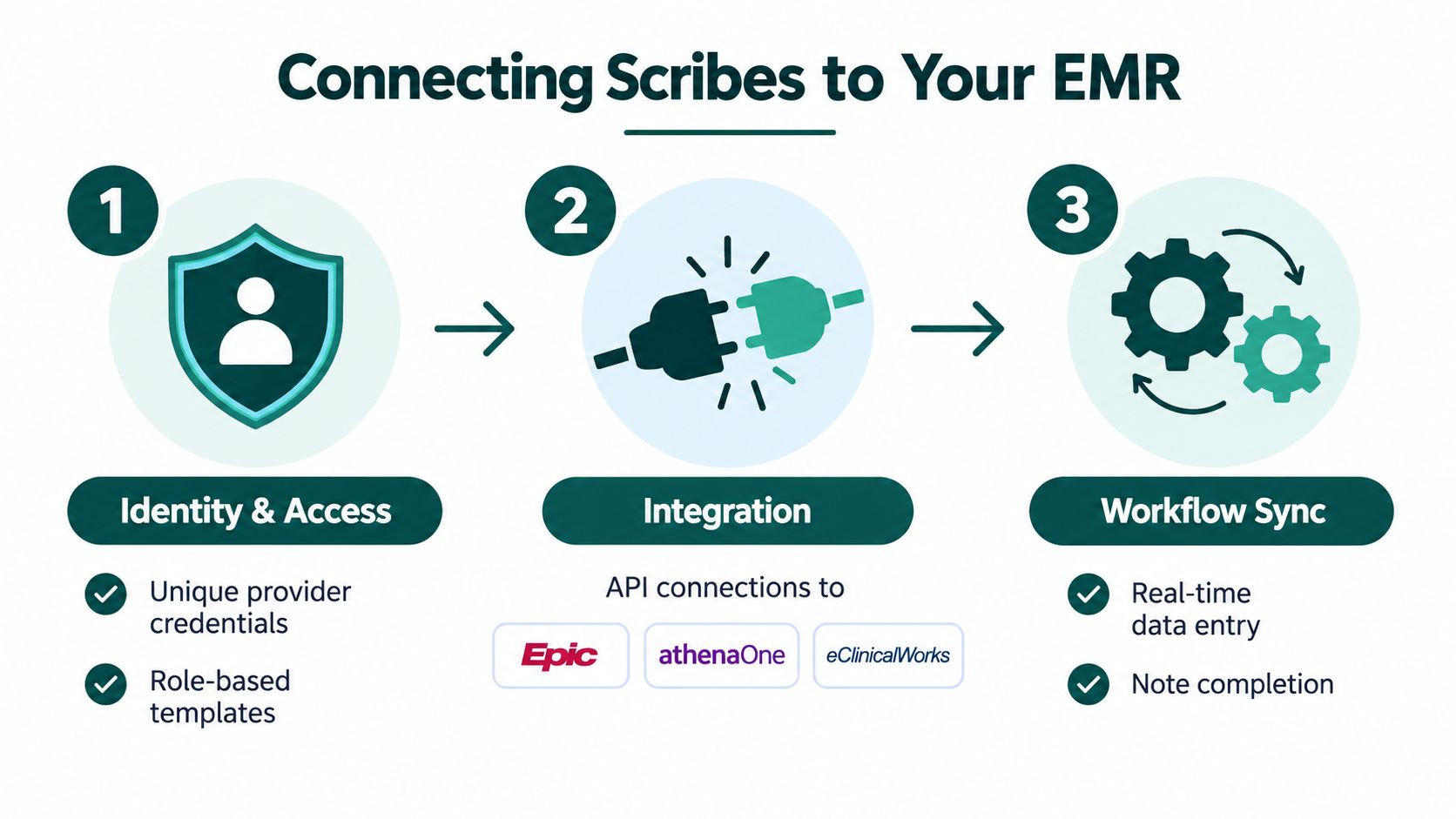
Most implementation failures start with access. If a scribe has too much access, you create privacy and audit problems. If they have too little access, they end up working around the EMR instead of inside it, which defeats the point. The clean setup is usually a role-based access model with unique credentials, limited templates, and a permissions matrix that spells out exactly what the scribe can see and stage.
The next layer is the documentation environment itself. Smart phrases, note templates, problem list staging, medication reconciliation, and order queues all need to be mapped before go-live. If your practice uses Epic, athenaOne, or eClinicalWorks, the implementation questions are less about whether the system can store text and more about whether the scribe can work inside the exact fields your clinicians rely on without creating clutter or bypassing controls.
The access model that keeps you sane
Start with unique logins and least privilege. The scribe should have the schedule, chart sections, and template access needed to do the job, but not billing controls, admin settings, or anything that could expose more chart data than necessary. Two-factor authentication should be standard, and session timeouts should be enforced on shared workstations or remote access sessions.
Then define what the scribe can stage versus what the clinician must complete. In many practices, the scribe can prepare history, exam, and plan sections, but the provider still has to verify diagnoses, sign orders, and finalize anything that affects treatment. That split keeps the chart moving while preserving accountability where it belongs.
What to build before go-live
- Permissions matrix: list which note sections, orders, and patient-facing outputs the scribe can touch.
- Consent workflow: decide how the patient is informed that a scribe is involved and how consent is documented.
- Audit review cadence: decide who checks logs, how often, and what triggers an escalation.
- Offboarding checklist: revoke access immediately, rotate shared passwords if used, and review recent chart activity.
The end of the engagement matters too. A scribe should lose access the moment the relationship ends, not at the next billing cycle. That last-month activity review is one of the easiest ways to catch lingering permissions or unusual chart access before they become a bigger issue.
What the Research Actually Shows on Time Saved and Burnout
The evidence is more useful when you look at it as operations data instead of marketing copy. In a 144-physician, two health-system quality-improvement study, virtual scribes were associated with a mean reduction of 5.6 minutes of total EHR time per appointment, 1.3 minutes of note time per appointment, and 1.1 minutes of “pajama time” per appointment, with all three changes statistically significant, according to the study linked in the brief. That's the kind of shift that can matter when the backlog is cumulative rather than occasional.
Another pilot found a more modest but still meaningful change, with average time in notes per appointment falling from 8.54 minutes to 7.04 minutes over 30 days, while the authors reported positive movement in quality, time savings, burnout, and productivity. A separate ambient AI study reported a 20.4% reduction in time spent in notes per appointment, from 10.3 minutes to 8.2 minutes, along with a 9.3% increase in same-day appointment closure and a 30.0% reduction in after-hours documentation. Those outcomes matter because they point to the metrics practices feel, not just the software dashboard.
What transfers, and what doesn't
The benefit tends to transfer more cleanly in primary care and general internal medicine, where notes are structured enough for a scribe to learn the pattern. It's less predictable in specialties where the visit content is more variable, the assessment is more complex, or the documentation carries more medicolegal nuance. That doesn't mean scribes don't work there, it means the practice has to match the workflow to the visit type instead of assuming one setup fits all.
Burnout is harder to measure cleanly. Some studies report meaningful relief, others show smaller or inconsistent shifts, and a few note that productivity doesn't always rise even when documentation time falls. For an operations lead, the more reliable signals are total EHR time, chart closure latency, addenda volume, and the amount of patient-facing time a clinician gets back.
| Study / Source | Setting | Minutes Saved per Encounter | Same-Day Closure Change | Burnout / Time-Burden Effect |
|---|---|---|---|---|
| Two-system QI study | 144 physicians across two health systems | 5.6 minutes total EHR time, 1.3 minutes note time | Not reported in the verified data | 1.1 minutes less pajama time, statistically significant |
| 30-day virtual scribe pilot | Mixed outpatient pilot | 8.54 to 7.04 minutes in notes | Not reported in the verified data | Positive movement in quality, time savings, burnout, and productivity |
| Ambient AI scribe study | Outpatient documentation workflow | 10.3 to 8.2 minutes in notes | 9.3% increase | 30.0% reduction in after-hours documentation |
| AI medical scribe study | Mixed workflow | Not reported in the verified data | 3% decrease in same-day chart closure | Other documentation measures improved, which shows closure and speed don't always move together |
A useful caution is that many studies measure short pilot periods, not the messier reality of steady-state use. A tool can look excellent in a funded rollout and still create more cleanup later if the templates are too loose or the specialty fit is weak. That's why the chart closure rate and note quality need to be tracked together, not treated as separate conversations.
HIPAA, Business Associate Agreements, and Data Safeguards
A virtual scribe that sees PHI turns compliance into a workflow question, not a theory exercise. The HHS business associate agreement provisions require downstream service providers to use appropriate safeguards against unauthorized use or disclosure, including Security Rule safeguards for electronic PHI, and to report any non-permitted use or disclosure, including breaches of unsecured PHI, according to HHS guidance on BAA provisions. That means the vendor relationship needs to be written down, reviewed, and enforceable.
The contract should say what PHI can be used for, how subcontractors are handled, how breach notice works, and what happens to data when the agreement ends. On the operational side, I look for encryption in transit and at rest, role-based access, session timeouts, and a clear ban on local downloads to personal devices. If a vendor cannot explain those controls without jargon, they are not ready for patient data.
What to verify before you let a scribe touch the chart
The best checks are practical. Ask for workforce training records, background screening documentation, and a clear map of where the work is routed. If you are comparing domestic-only support with offshore coverage, decide whether that model is allowed at all and whether patients are told when it matters.
A short access audit before go-live catches more problems than a polished policy packet. I also recommend a two-week review of who accessed what, when, and why, because weak permissions and sloppy handoffs show up there before they become reportable incidents. For a plain-language reference on the contract side, the HIPAA BAA requirements guide is useful while you review language, not just policy headings.
For a broader checklist on vendor controls, the HIPAA-compliant virtual assistants guide helps separate marketing claims from the controls a practice should verify.
Practical rule: if the vendor cannot show who accessed what, when, and why, the security review is not finished.
Do not accept the phrase “HIPAA certified” in vendor conversations. HHS does not issue that kind of certification. Ask for evidence of controls, contract terms, and a real process for handling mistakes when they happen.
Quality Controls That Protect Notes and Coding Accuracy
Faster notes aren't automatically better notes. If the scribe drafts a clean-looking chart that still misses nuance, inflates wording, or creates cleanup for coding, the practice has bought speed at the cost of rework. That's why quality control has to be built into the workflow from the start, not bolted on after someone notices a billing problem.
The simplest way to keep the process honest is a regular audit cadence. Weekly random chart pulls should be scored against a rubric that checks HPI completeness, assessment-plan alignment, copy-forward hygiene, and code specificity. Monthly, the billing team should reconcile scribed notes against coder output so the practice can see whether documentation quality is supporting revenue integrity rather than just making notes look full.
What to look for in the note itself
The most common problems are easier to spot than people think. Note bloat shows up as long repetitive ROS blocks that don't add clinical value. Hallucinated history appears when a scribe or AI draft inserts details that weren't said. Inconsistent attribution shows up when part of the note sounds clinician-authored and part sounds like someone else stitched it together.
If your practice uses macros heavily, governance matters. Templates should make documentation faster without manufacturing findings that weren't observed. That's especially important when the note feeds E&M level selection or supports a higher code than the encounter really justifies.
Escalation should happen before sign-off
When a same-day note misses nuance, the clinician of record needs a clear path to send it back before signing. That applies whether the draft came from a human, an asynchronous service, or an ambient AI tool. The scribe can help draft the note, but the clinician owns the final content and the legal responsibility for signing it.
For teams that want to keep documentation and revenue cycle closer together, medical billing services are often discussed alongside scribing because cleaner notes affect the next step in the workflow. That doesn't mean the same person should do both jobs, it means the documentation standard has to support the billing standard from the outset.
Pricing, ROI, and a 90-Day Implementation Plan
Pricing models vary, but the operating question should stay the same: what does a note cost once you include setup, review time, and rework? A monthly retainer may feel simple, a per-encounter fee may look flexible, and ambient AI subscriptions may appear inexpensive, but the cost shows up in closure speed, edits, and the amount of clinician time pulled back into documentation.
For cost comparison, one helpful outside reference is AI transcription pricing, but the better internal metric is your cost per completed visit note. That number should include the vendor fee, the time the clinician spends reviewing the chart, and any added work created for billing or compliance review. If you can't get to a cost per usable note, you're comparing quote sheets instead of workflows.
A simple 30 60 90 day rollout
- Days 1 to 30, pilot one provider and one visit type. Tune the template, define the BAA scope, and measure edit time alongside note closure.
- Days 31 to 60, expand to two more clinicians. Track rework, confirm whether the same templates work across styles, and adjust macros where they're creating clutter.
- Days 61 to 90, scale to the full panel. Shift to an in-house audit cadence and assign a single owner for vendor management and issue escalation.
A useful vendor scorecard is short and blunt. Ask about turnover, access logs, escalation path, and how quickly they can produce an audit trail when something looks off. If the vendor can't answer those four items cleanly, they're not ready for a practice that cares about same-day closure and documentation defensibility.
Hiring checkpoint: select for consistency, not just speed. A fast note that needs heavy cleanup is a slow process wearing a different label.
For practices exploring broader staffing support, Medical Virtual Assistants places pre-vetted Latin America-based assistants who work U.S. clinic hours and can cover documentation, front-desk, billing, and coordination tasks as separate roles. For a scribe evaluation specifically, that matters because it gives you a way to compare dedicated documentation support against other remote coverage models without mixing job functions.
The Takeaway
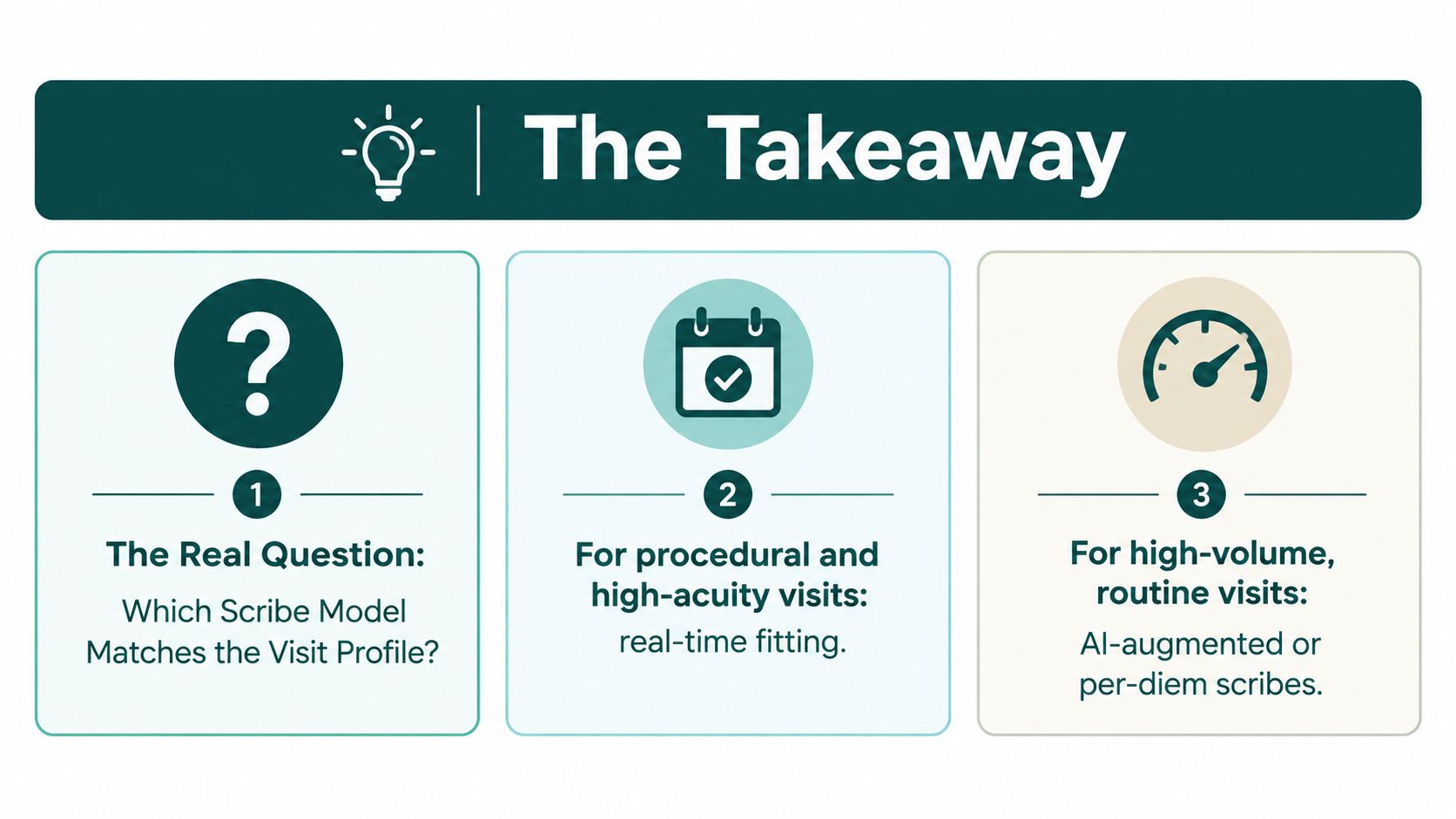
The key question isn't whether virtual scribe services save time. It's which model matches your visit profile and your tolerance for review work. Real-time human scribes tend to fit procedural and high-acuity visits, asynchronous scribes fit routine outpatient work where delayed closure is acceptable, and ambient AI fits lean documentation environments only when the practice is willing to govern the output closely.
The decision becomes practical when you stop treating it as a technology contest and start treating it as a workflow and oversight problem. A properly scoped BAA, clear permissions, a defined audit cadence, and clinician sign-off on every note matter more than the brochure language. Track same-day closure and coding accuracy as the key ROI signals, because faster notes only help if they're also clean, billable, and defensible.
If you're evaluating whether a remote scribe, billing assistant, or front-desk role belongs in your clinic workflow, Medical Virtual Assistants can help you scope the role and match it to your practice hours, specialty, and EMR setup. Visit Medical Virtual Assistants to review the available staffing options and start with a role fit that's built around your current documentation bottlenecks.